For contractorsBuffalo areaiPhone liveAndroid live
Find local lawn and snow jobs.
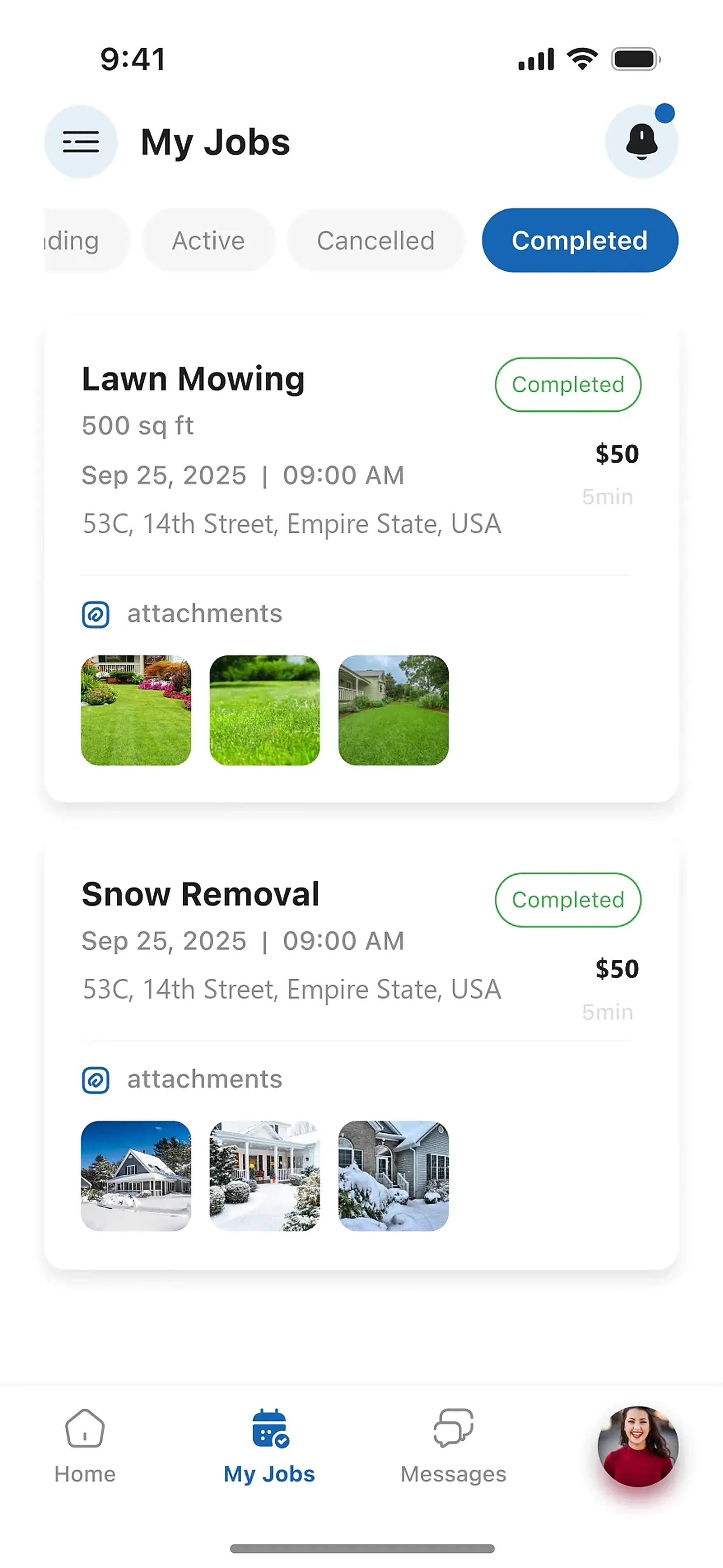
The contractor side of Click N Clear is built for your business. Review posted work in your service area, choose jobs that fit your crew and schedule, and send an offer. Manage accepted work in My Jobs.
Available now for iPhone and Android.
Sample data
- Purpose
- Manage accepted work
- On every job
- Price, time, address, photos
- Status
- Active, completed, cancelled
Your contractor workspace
Choose work that fits your business.
Owners post the job details, photos, budget, and preferred timing. Review the scope and location, then offer a price that works for you. When an owner accepts, follow the work in My Jobs.
- What you are looking at
- Lawn mowing and snow removal jobs posted by property owners who need the work done.
- What helps you choose
- Check the service, budget, date, address, instructions, and photos against your route, equipment, and available time before you bid.
- What stays in view
- Every job you take, sorted into Active, Completed, and Cancelled, with the details and photos attached.
Keep your jobs, messages, and earnings together.
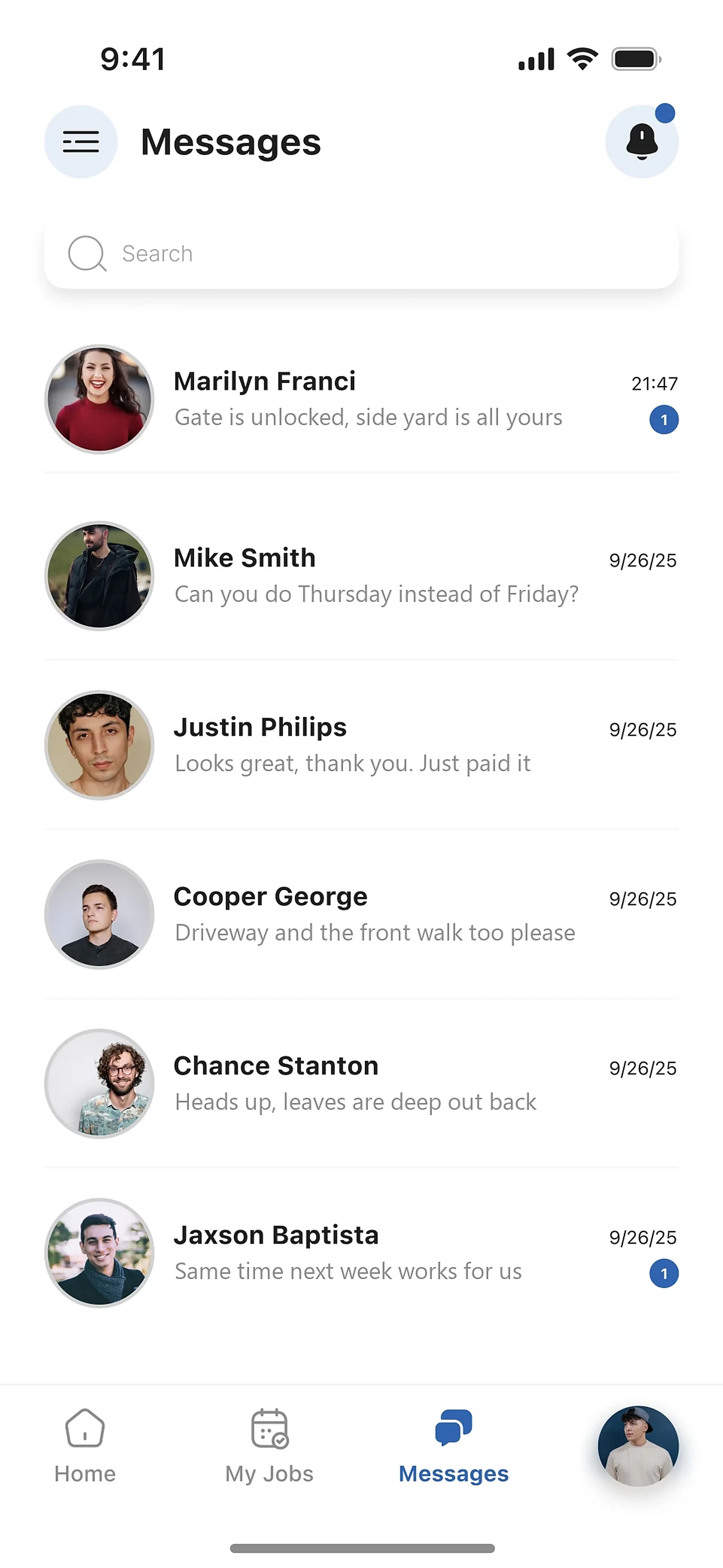
Use My Jobs to follow accepted work, Messages to coordinate with owners, and My Earnings to review payment history. Keep the day-to-day details in one app.
Swipe to see both screens.
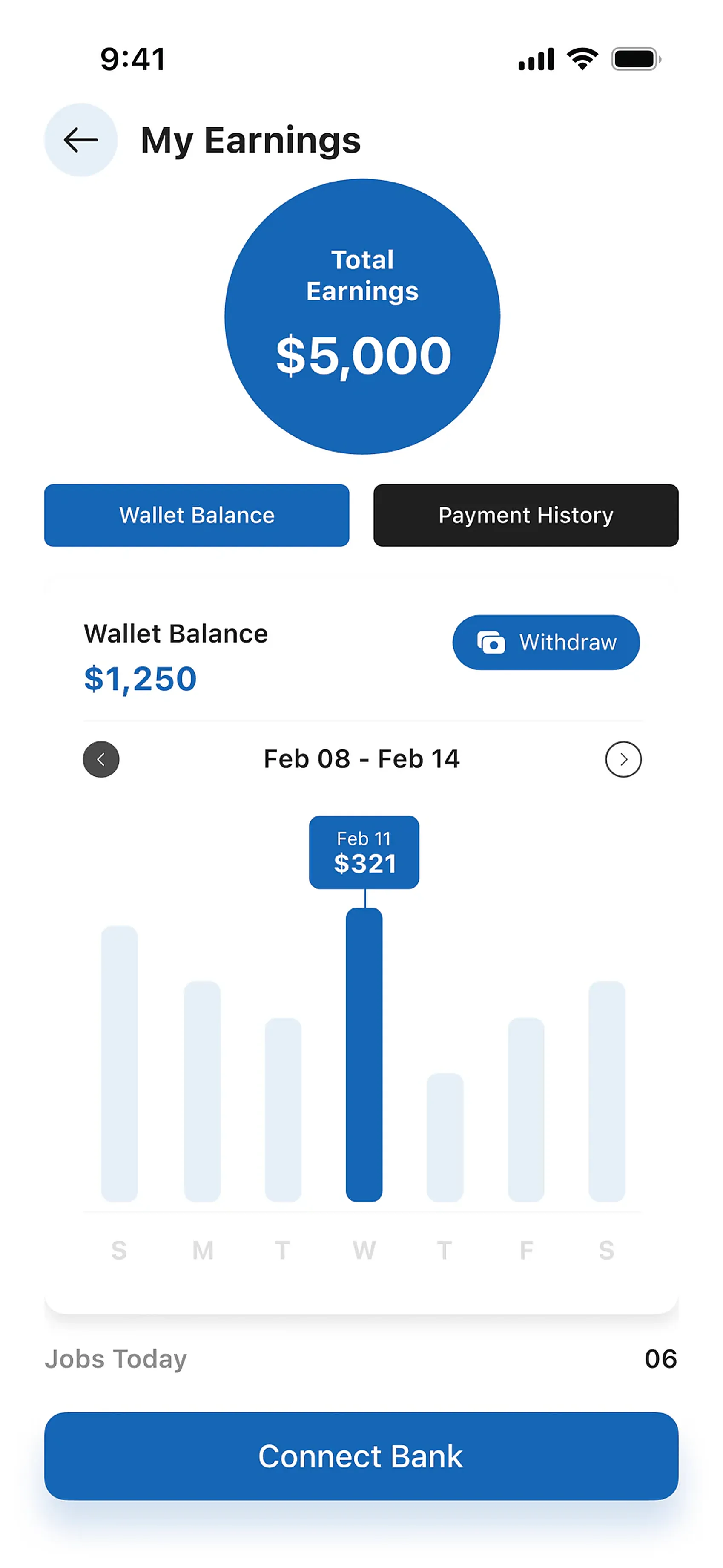
Total earned, wallet balance, payment history, and a connected bank for withdrawals. See what the week did at a glance.
App screens show sample data.
Join as a contractor
Set up your contractor account.
- 01
- 02Create your pro account
Sign up on the contractor side as an individual or a company.
- 03Submit your proof of insurance
Upload it in the app. No coverage yet? Willoughby Insurance in Buffalo writes contractor policies.
- 04Set your service area
Pick the radius you want to work. Jobs posted inside it come to you.
- 05Bid and get to work
Bid on what fits. When the owner accepts, the job is yours in My Jobs.
Where contractor jobs begin