Post the outdoor work your property needs.
Pick Lawn Mowing or Snow Removal, add the address, when you want it done, what you will pay, and a couple of photos. Local contractors bid, you accept the one you want, and you follow the job in the app until they mark it complete.
- Postthe job details
- Accepta contractor's bid
- Followit to completion
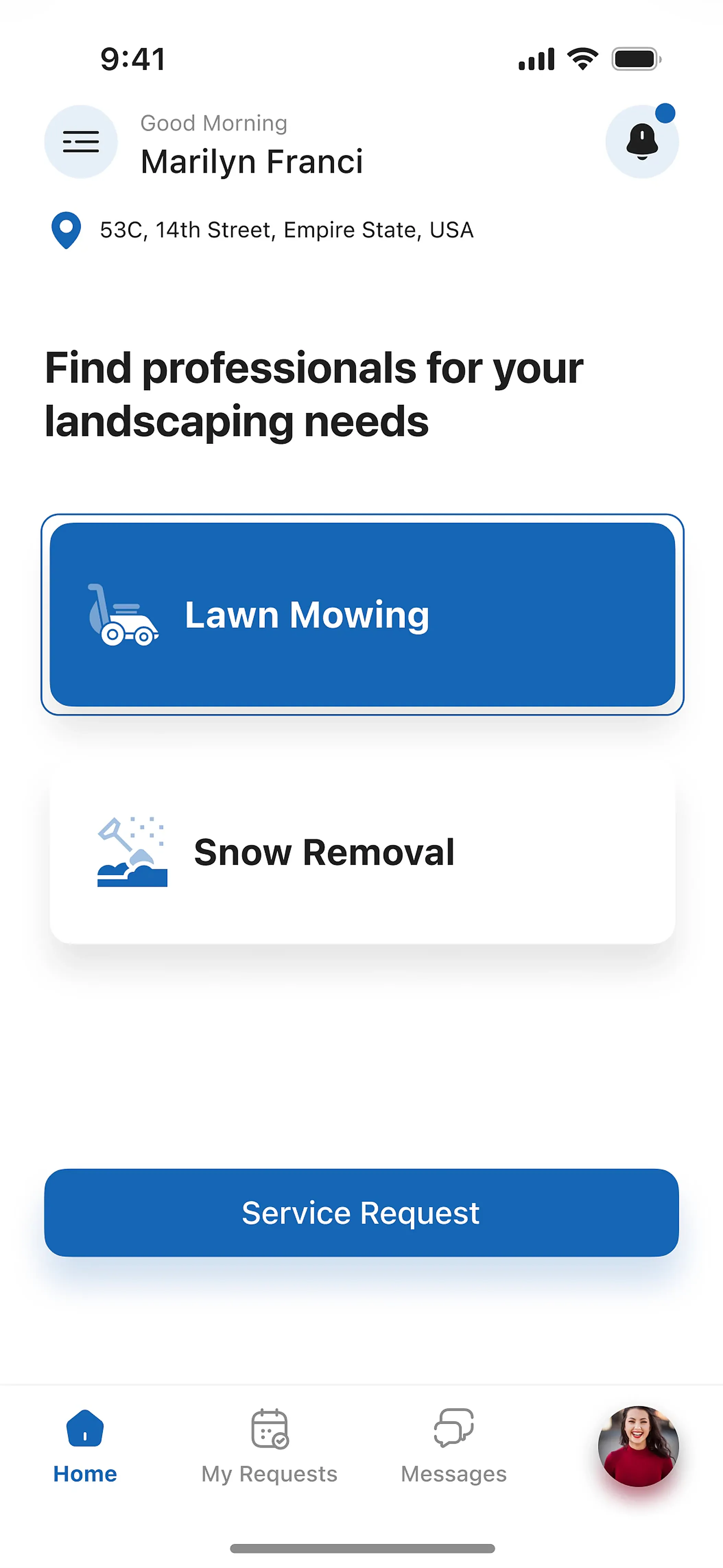
Two services to start. Home, My Requests, and Messages along the bottom.
Posting a job
Give a contractor enough to say yes.
One screen. Property, price, schedule, notes, and photos together, so the contractor who takes the job already knows what they are walking into.
Sample data
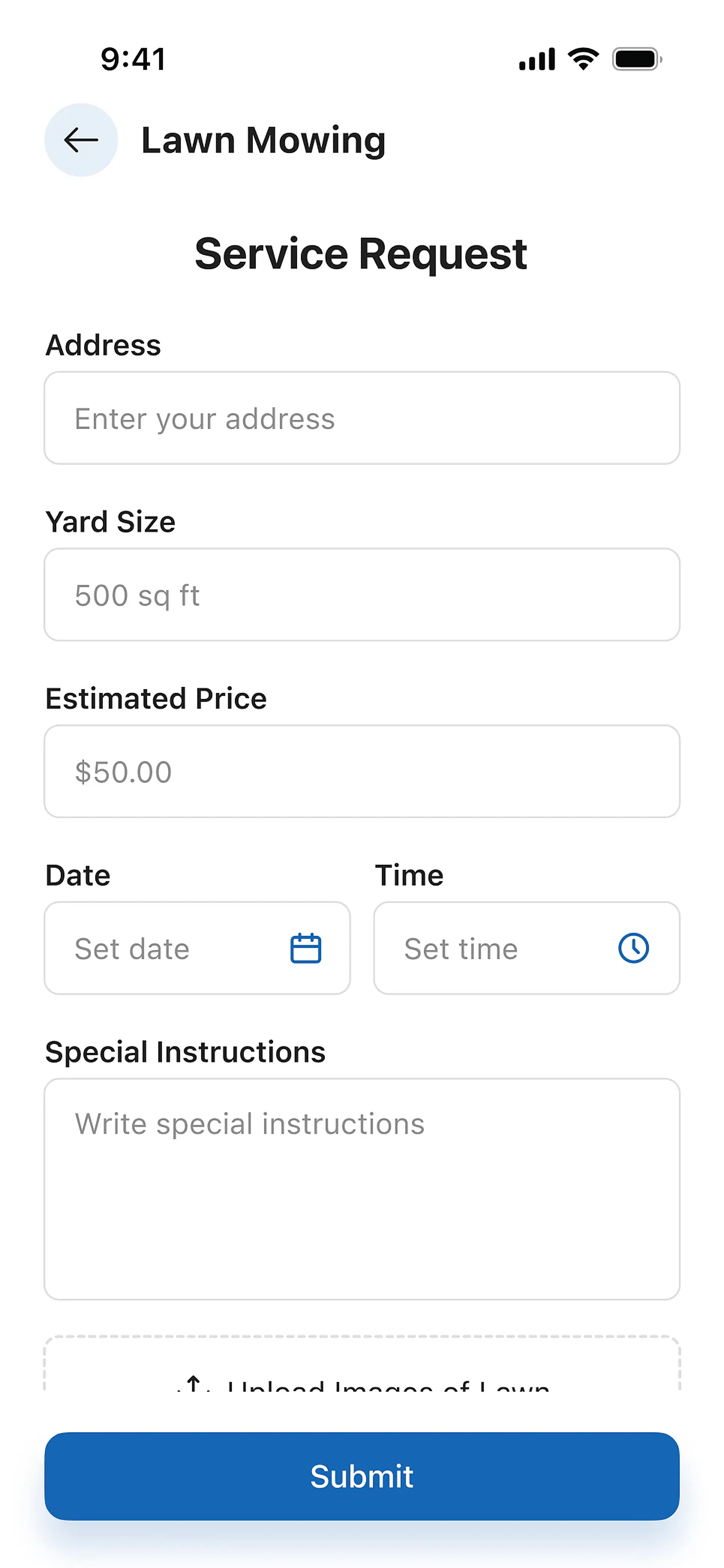
- Property
- Address and yard size, so the contractor knows the scope before they commit.
- Your price
- Put your estimated price right on the post.
- Schedule
- Pick the day and the time window you want the work done.
- Instructions
- The gate code, the dog, the corner the mower always misses. Say it once here.
- Photos
- A few shots of the property so there are no surprises on arrival.
The job and the conversation, in one place.
My Requests shows every job you have posted and where it stands.Messages keeps the conversation with your contractor right next to the work.
Where the job goes next
You post the need. Contractors come to you.
Your post goes out to local contractors on Click N Clear. They bid, you accept the one you want, and you both work from the same details until they mark the job complete. Every contractor is vetted for insurance.
See the contractor sideGet started
Get the app and post your first job.
Available now for iPhone and Android.